Step by step instructions to install Ehndroix mod on Samsung Galaxy S Plus (GT-I9001)
October 14th, 2012
I recently installed the Ice-cream sandwich flavour of the Ehndroix mod. After hours of scouring the web & bricking my phone multiple times in the process, ICS is up and running on my phone. I’m documenting the exact process here so that it will be useful for everyone.
This post applies only for Samsung Galaxy S Plus GT-I9001. These steps might not work on any other phone. Even, if you are on I9001 phone, proceed at your own risk. No one (including me & God) is responsible if anything happens to you or your phone 😉
Assuming you are running the stock Gingerbread Android OS, here are the steps:
- Get all the required software
- Enable development mode on your phone
- Backup all your existing data
- Root your phone
- Install ClockworkMod Recovery 5.5.0.4
- Reboot your phone in recovery mode
- Install Ehndroix
- Install S3 style pack
- Reboot your phone
Beautiful Bhutan
October 3rd, 2012
Kuzzampo[1] everyone! 😉
The recent trip to Bhutan was amazing beyond measure. When Sudar called me one fine morning and said “Bhutan”, I immediately started dreaming about The Land of the Thundering Dragons. I had heard plenty of stories about Bhutan and my legs were itching to get there. Through every minute of the trip, we met fantastic people, came across rushing rivers, crossed 3 high mountain passes, beautiful roads, native culture and festivals, cheerful monks, spicy food and everything in between. At most places, life had come to a complete standstill. No one seemed to be in a hurry and everything seemed to move at a comfortable steady pace. We were constantly overcome by the kindness shown by the people from The Land of Thundering Dragons; whether be it the grocer lady who graciously offered us peaches for free or the cabbie or the owner of a big hotel; compassion was part of them. Almost all the places were very clean and rivers were clean even when they flowed through towns. Plenty of houses had the painting of a phallus on their exterior walls to symbolize fertility 😉 .Â
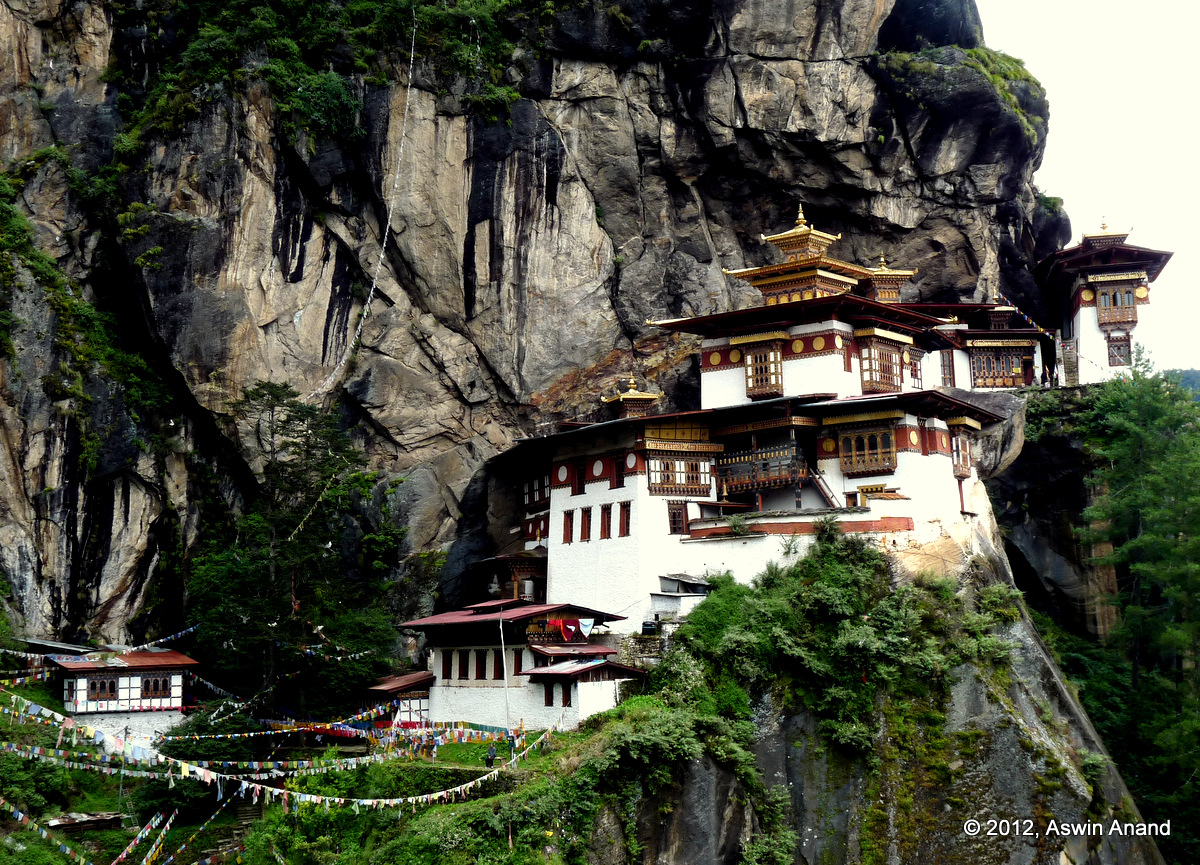
Taktsang Monastery a.k.a The Tiger’s Nest
Weather was perfect with just the right amount of sun on most days. Travel was an absolute pleasure. Every morning I got up, I would be in anticipation of what I would experience that day. Would it be the fabulous people or spicy food or hidden waterfalls in every corner or those beautiful chortens with prayer flags fluttering or playful kids or monks? Who knows? Bhutan has a surprised stored in its every corner … waiting for us to discover them.
This day, last year – Stok Kangri Summit
July 23rd, 2012
Today is a special day. Guess why?
On this day, last year (23-Jul-2011), I summitted Stok Kangri. It is the only trekkable 6000+m peak that I know of. Today am going to share couple of special moments during the trek.
We started from the base camp at 12 AM sharp in bone freezing cold, packed in 4 layers of clothing. Energy was at its highest for me. This was the day I was waiting for ever since I signed up for the trek. Days and days of swimming, trekking and other endurance activities were just about to pay off. I could visualize myself standing on the peak and gazing with awe at the beauty of Mother Nature, in the form of undulating peaks of the Karakoram range. With the barest of the bare essentials, we began our march.
Around 3 AM we stepped foot on a massive snow field. The milky way had opened up above us throughout the night. If not for the cold & lack of tripod, I would have setup camp and shot the stars to my heart’s content. By 4 AM we were at the mountain’s base. Right above us, piercing the night sky in all its glorious beauty stood Stok Kangri. My throat choked. I’m eternally grateful to the mountain for allowing me, a mere mortal, to set foot on her.
Sunrise
Around 4.40 AM, we came to a place where we had to cross an icy patch that was covered with snow. As we were wearing our crampons, the best sight of my life unfolded on the east. The eastern horizon had a thin streak of gold. So subtly thin that it took special effort to notice it properly. Few minutes later, few more streaks joined the show… and then an entire range opened up.
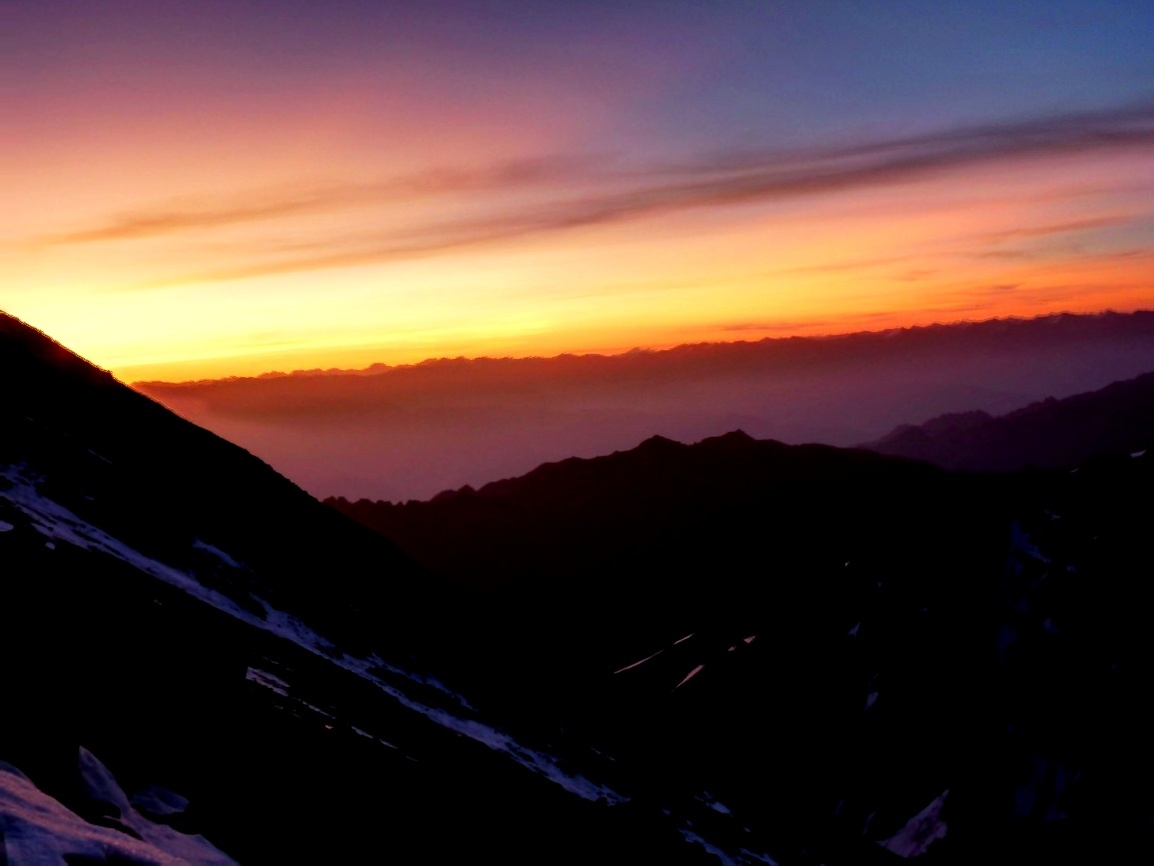
Nature had seduced me completely. For those few minutes, passage of time stopped. Every little cell in my body was completely alive. Transfixed. Jaw dropping. The best part? It looked like the sun was rising from below us. First showing its few rays, then moving horizontally, sliding out of the mountain & then rising vertically … as it consumed its golden rays again.
Every particle of snow and ice in our surroundings glistened as if they were covered in gold. The various views were mind-boggling to say the least. Nature was displaying the best drama that I could possibly see and remember for a very long time to come. The mountain next to ours looked so much like a gold mountain that the photo below doesn’t do any justice.
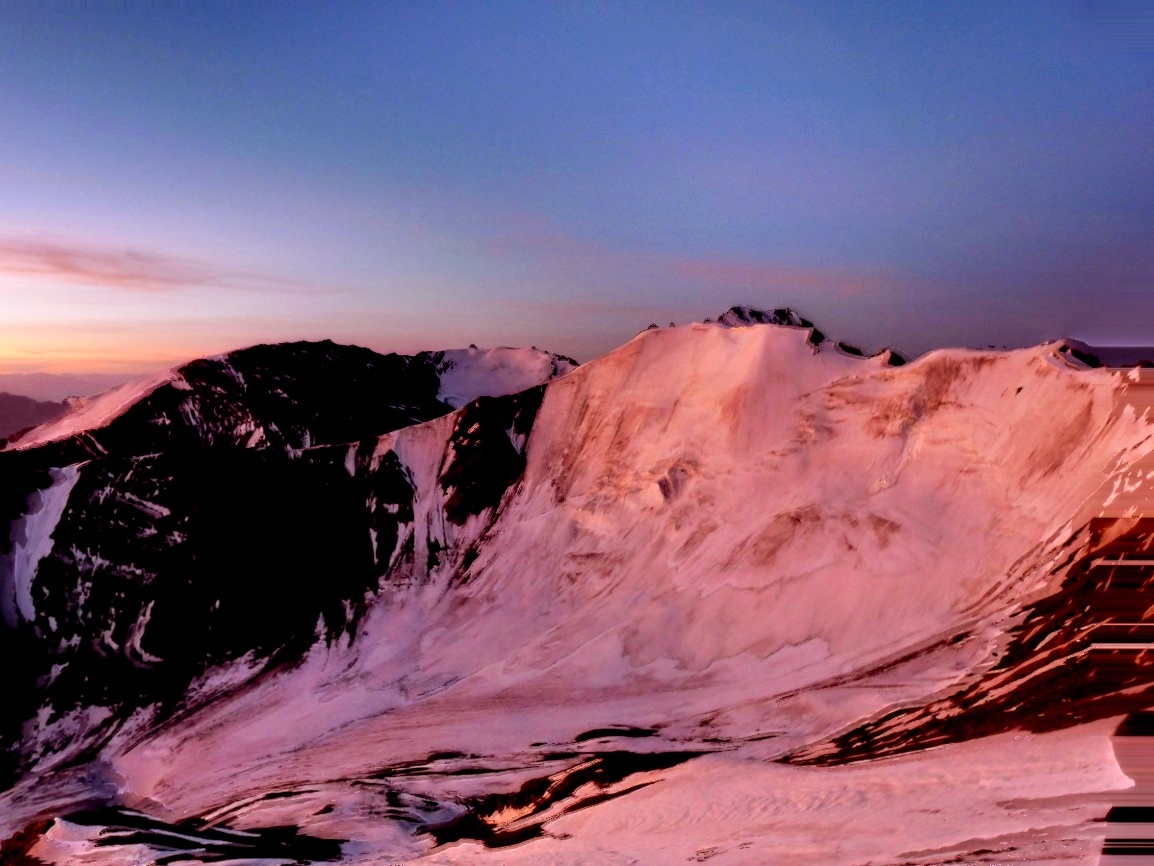
Clear blue skies were our friends that day. Impeccable weather.
Special Moment on The Peak
Three hours later, I was on the peak. The fastest ones on the trek were turning back. I met them on the way. The slower ones were significantly behind. For approximately 10 complete minutes, the summit was mine. I couldn’t take a photo of myself. So, I waited for people to turn up. The wind ruffled my hair. There was absolute silence on the top. The couple of months that led to the trek whizzed past. At 20,000+ feet, it was a thrilling place to be. On the far east, many miles away, Leh was visible like a dot. On the far North West, our guide showed the savage mountain, K2. On the South, Khardung La (the highest motorable pass in the world) was there. Best of all, a flight passed below me. As I sat next to the prayer flags, I dozed off for a few minutes until my guide came to the top and woke me up 😀
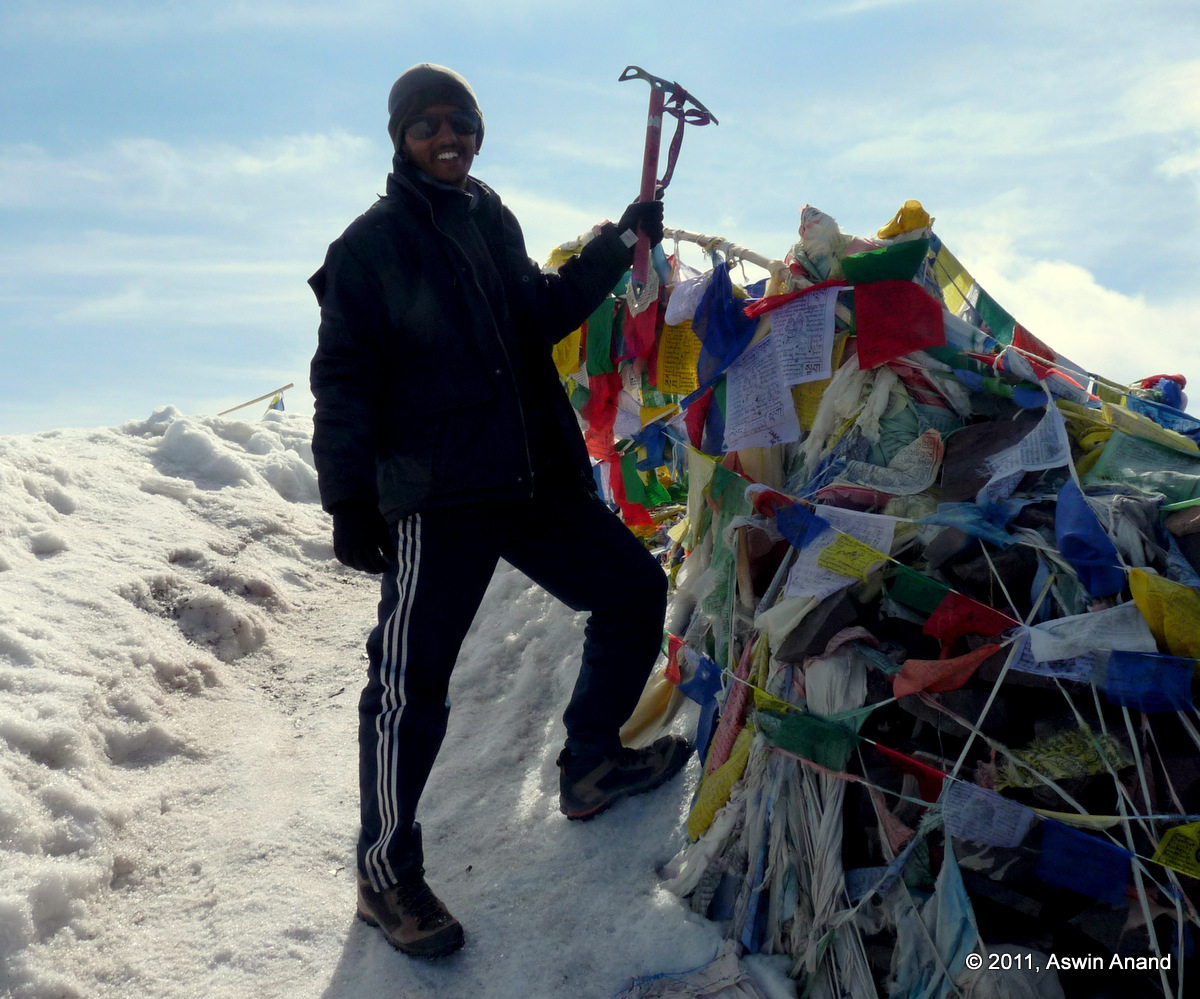
It was lovely. I posed like Tenzing Norgay on summit cornice. What a moment that was!
View from the Peak
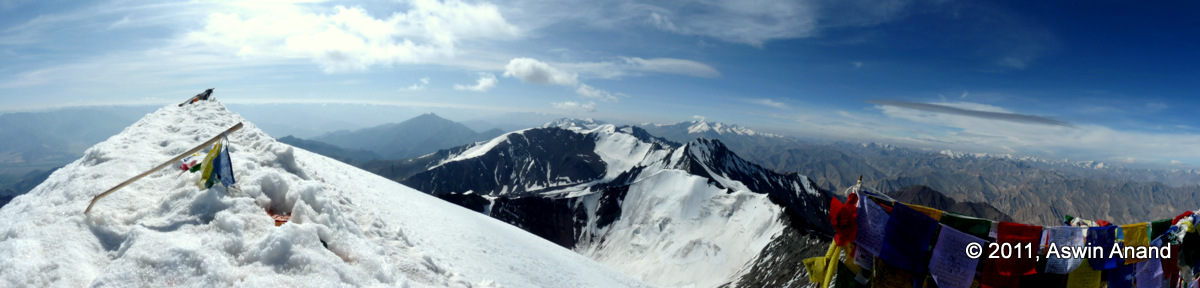
Here’s a panorama from the summit of Stok Kangri, on a day when the weather was impeccable, when I was in the best of my spirits & when everything in the universe came together to support me.
2011 – The Awesome Year that it was !
December 29th, 2011
2011 was splendid. It was a year of many glorious events. Here’s a quick recap of my treks, bike trips and travel that I had done in chronological order with some photos…
Rajasthan
It all started with the Rajasthan trip. From the majestic Udaipur palace to the Leopards of Bera to the Havelis of Nawalgarh and Churu to the dunes at Jaisalmer, this trip was one that will remain etched in my memory forever. Read it here.
Sivasamudram Bike Trip
This was a quick chit-chat ride to Sivasamudram. Zipped through Mysore road and we were back by afternoon 🙂
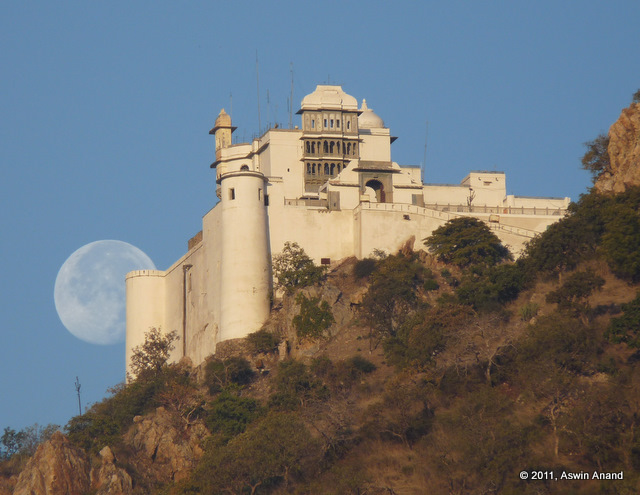
Early morning shot of Sajjangarh Fort while the moon was just setting
The Forgotten Commandments – A Short Film
I was the hero in this short film and as per the plot I was to die in the movie (something that eluded even Rajinikanth till now 😉 ). Shooting for this movie was one of the best experiences for me. Read about it here.
Siddara Betta
This was again a short bike and trek trip where we climbed to the caves and explored a few places around. The day can be dubbed as lost-and-found day as mentioned by Sudar in his blog post.
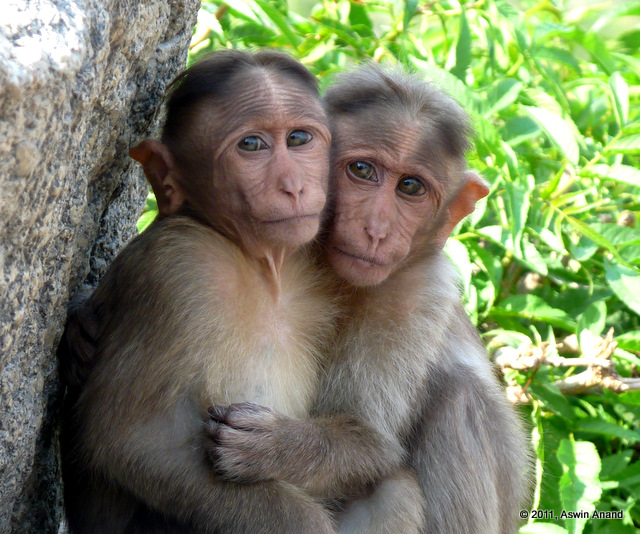
Hugging Monkeys at Siddara Betta
Kerala Bike Trip
Thick in to summer, we knew we had to cool ourselves. Chennai Trekking Club to the rescue. What would be better than a trip to swim in various parts of the Idukki dam followed by the splendid ghats of Valparai?
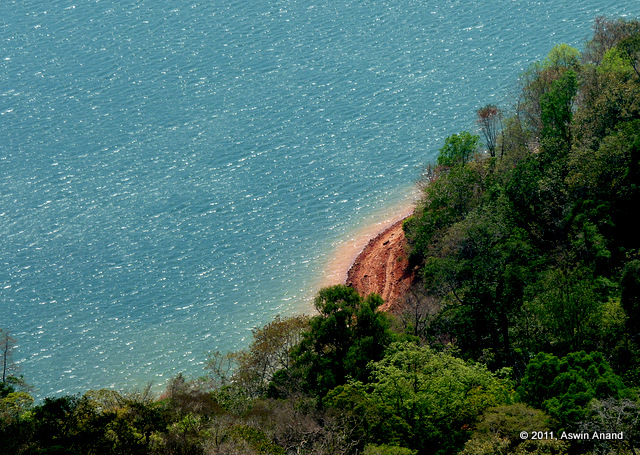
The shores of the Idukki Lake
Venkatagiri Trek
It was supposed to be a two-day trek but circumstances were such that two of us had to join another team who were on a 3-day trek in the same area. We trekked with them for the most part and started our exit on day 2 by following a stream. From where we stood, the town was visible; which meant, the climb down would be steep and we had to encounter lots of waterfalls. At last count, we had climbed down at least seven steep places within a matter of hours. Day light faded quickly and we were forced to camp with a meager amount of food at a beautiful cave, surrounded by water. As the moon rose, the whole area glimmered. The Orion smiled at us. We exited early next morning. Myself, Shibu, Vikram, Sundar and Girish were the team. From the first steep waterfall to hanging down a tree overlooking a 30 feet drop to getting down the devil’s rainbow pool etc. it was an experience of a lifetime to remember.
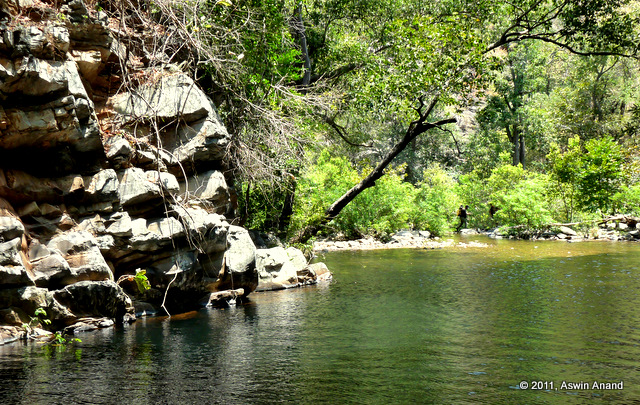
A serene pool inside Venkatagiri Forests
Vellarimala Trek
Oh man oh man! No words in my dictionary to describe this trek. I had reached the limits of my vocabulary to describe that trek. Read about it here.
Savandurga Trek
Myself, Siddharth and Sudar were on this. It was decided the previous night all of a sudden that we had to get out the next morning & we were out on an impulse. Superb day that ended with pizza and a swim 😀
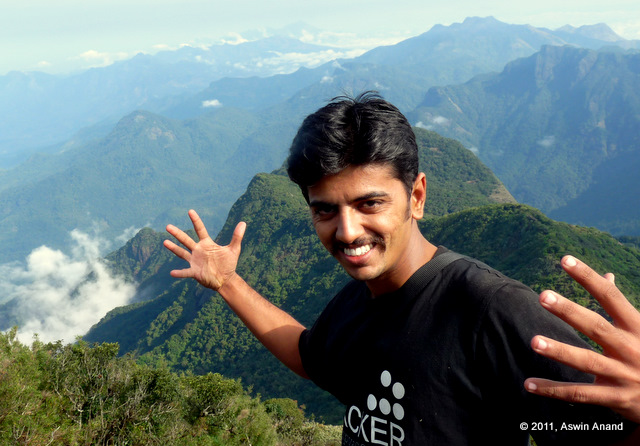
At the peak of Vavul Mala
Bodi-Munnar Trek
Day one from Korangani village to Kolukkumalai and day two from Korangani village to Top Station. It was an easy trek and the weekend was well spent 😀
Yercaud Bike Trip
I had been wanting to go to Yercaud for a long time, it being pretty close (231 kms is pretty close isn’t it?) to Bangalore. So what did we do? Tank up the bikes and wrooom to Yercaud and back 😀 .. I witnessed the best ever sunrise of my life. On the way back, we swam at the Cauvery river in Mettur.
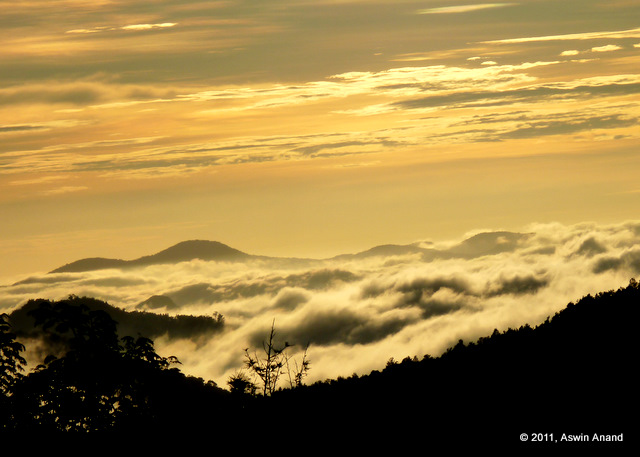
A surreal sunrise at Yercaud
Ooty Bike Trip
Monsoon season had just begun and Ooty started filling up my mind. Having experienced the monsoon of Western Ghats during a trek to Ombattu Gudde, I had to drive to Ooty. Six of us in three bikes drove to Ooty via Bangalore – Mysore – Bandipur – Masinagudi – Ooty – Coonoor – Ooty – Mudumalai – Bandipur – Mysore – Bangalore. One of my best ever bike trips in the thickest of rains, until the Western Ghats bike trip happened 🙂
Pondicherry Bike Trip
Some of us school friends met after a long time and we decided to celebrate the occasion by driving to Pondy. En route we stopped at Alampara Fort and had a swim in the Bay of Bengal.
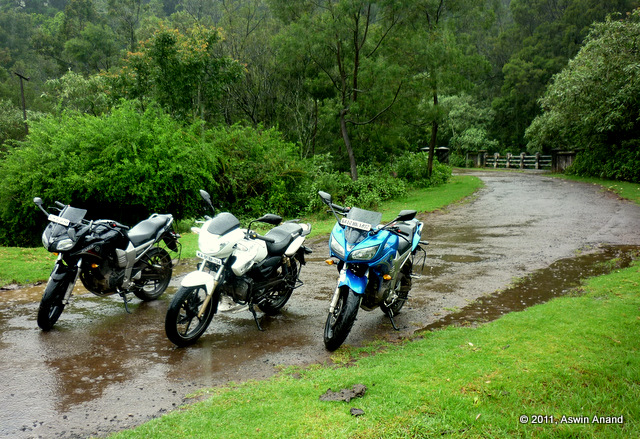
En route Upper Bhavani, Ooty
Stok Kangri, Ladakh – Summit at 6127 m
Reached the summit of Stok Kangri. It was an amazing trek. It had been my second time to Ladakh. When I landed in Leh, I just stood outside the airport for about 30 minutes, seeing the mountains as if they were my siblings. It was like returning home after a long time. Had lots of adventure on this trek, saw the formation of new glacial streams right in front of my eyes & also listened to the love story of Mr. M on the way down from Mato La 😀 .
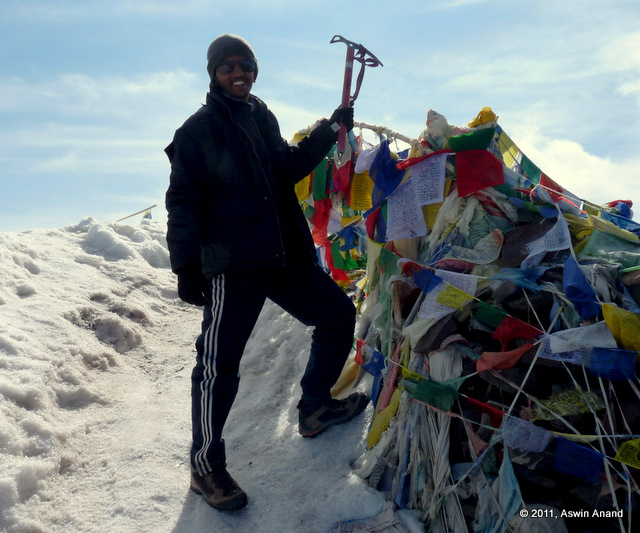
Stok Kangri Summit - 6127 m
Chunchi Falls Bike Trip
A very very memorable trip to Chunchi Falls where myself and two others averted a major disaster. The story is yet to be told 🙂 . Would you like to listen to it?
Western Ghats Monsoon Bike Trip
This was like the thick of Monsoon in the Western Ghats. Over a long weekend, the Western Ghats beckoned us like anything. What did we do? We just answered the call with our bikes and our spirits 😀 . It was 4.5 days of pure bliss. From driving in rain the whole way to Kemmannugundi to Hebbe Falls to Maravanthe Beach to Jog Falls, this trip was a dream come true, only next to Stok Kangri. Read Sudar’s blog post about the bike trip and my post about Hebbe Falls in Monsoon.
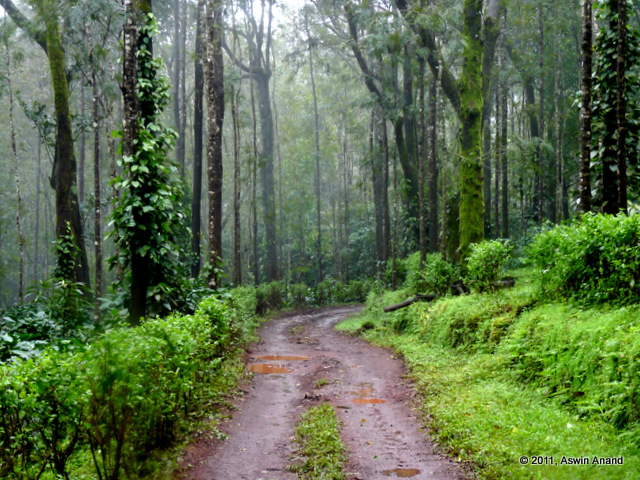
Jeep trail to Hebbe Falls
Accident
Had a bike accident couple of months ago. I happened to be extremely lucky to have escaped with a single fracture. Read about it here.
In between all these trips there were many other interesting events. This year made me go delirious with joy. So, that was my 2011 🙂 . How was yours? Share it in the comments.
Wish you a very happy 2012 🙂
Tales from Ladakh: The Khalsar Lady
November 4th, 2011
On the other side of Khardung La lies the famous Nubra valley – the land of the sand dunes (Hunder), double humped camels (Hunder), beautiful monasteries (Diskit, Sumur), hot water springs (Panamik) etc.
It snowed when we were at Khardung La. Being from the hot-hotter weather of Chennai, it became extremely cold for us to bear it any longer. We quickly made a move. Gloves and jackets were of no use. The cold pierced through every fabric and sent shivers through everyone’s spines. The road to North Pullu from Khardung La was bad. Small melt-water streams made sure the bad roads turned in to slush in no time. Frozen and irritated, we made our way towards North Pullu. Sun peeked from behind the clouds after a long time and the warmth was very soothing. We stopped our bikes and soaked in the warmth … sun bath if you may say. Beyond North Pullu and until Khalsar, the roads were fantastic. Zipping through those curves was super fun.
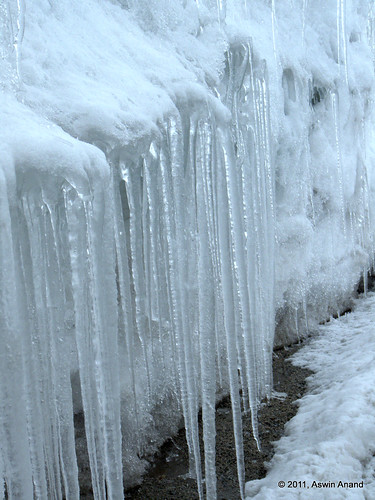
Icicles near Khardung La
It was about 4 PM when we reached the Khalsar village and I was quite hungry. There were only 4 shops in the town of which only one was a hotel. It was a cozy home-cum-hotel, handled by a small family.
A drop dead beautiful Ladakhi girl, wrapped up head to toe, in nice warm clothes was standing outside her hotel. Insanely gorgeous. Her scarf was damn cute too. My bike suddenly seemed to have a mind on its own. It leaned on one side and stopped right outside the shop. Apparently, my jaws had dropped and took a lot of time to recover. My eyes were fixed on her and didn’t move an inch away. My lips had automatically curled in to a smile. She smiled too … SHE SMILED ! Wow!
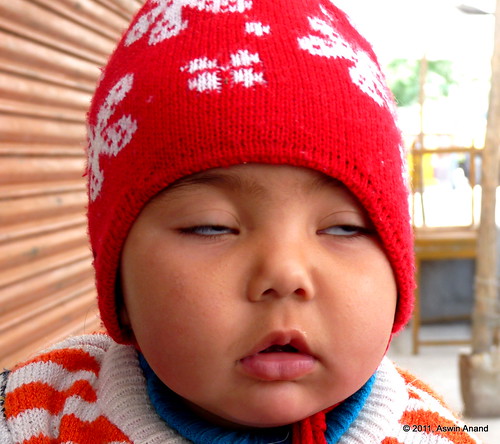
Chubby Ladakhi baby
She turned around and walked inside. Minutes later, she stepped out again and in her arms was an ultra cute kid 😀 … I heard a loud POP sound. Probably that was my heart 😛 … The world came crashing down and I was back to my normal self. One and a half years later, this moment of the amazing bike trip remains unforgettable 🙂
Hebbe Falls in Monsoon
November 1st, 2011
Hebbe Falls is located near Kemmannugundi in Karnataka. Without doubt, it is one of the most beautiful places. We picked peak monsoon for a bike trip through the Western Ghats and had NO IDEA how beautiful Hebbe Falls would be in peak monsoon. Visiting that waterfall was one of the best things of the bike trip. To know our route and which places we covered during the trip, read Sudar’s blog post.
Initially, we had to take a small detour to get on the “road” to Hebbe Falls. The road was actually no road. It was full of huge and slippery boulders. When it’s pouring cats and dogs, 24×7, during monsoon, it becomes a slushy mess that can be navigated only by cars with good ground clearance. As we neared the place beyond which cars can’t go, the rain slowed down. As soon as we stepped down, leeches attacked us from all directions. The only way to escape them was to run 🙂 . The earth around us was dripping wet, fresh and aromatic from the recent rain.
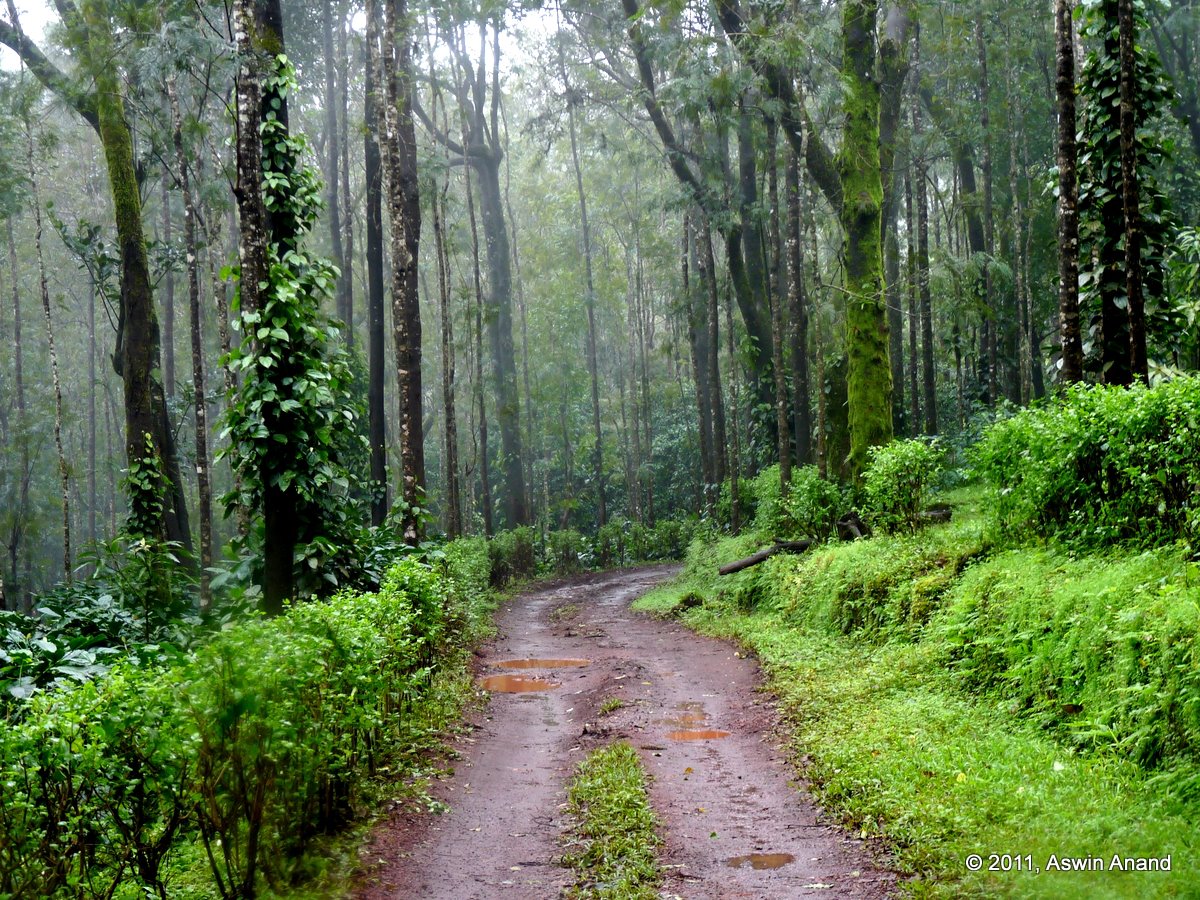
Jeep Trail to Hebbe Falls
After a short 15 minute trek and crossing three streams, we heard the thunder of the waterfall. As with the thunder, my heartbeat also increased. What we saw next was a sight to behold!
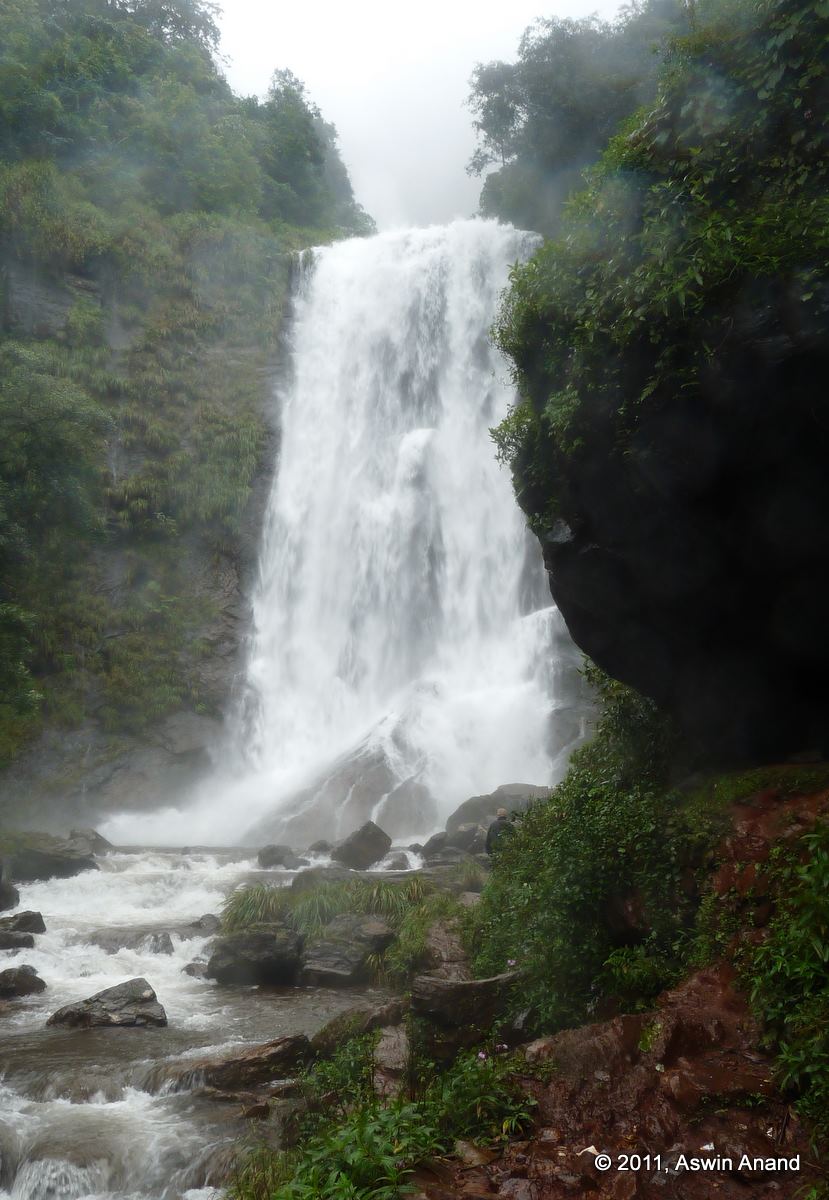
Hebbe Falls
My jaw dropped at the sight of the waterfall. Tremendous amounts of water was cascading down two levels of the waterfall. Each level was at least 50 feet high. The photo above shows only one level. The other level was misty and couldn’t be captured well. The water spray was too much to handle. We couldn’t even keep our eyes open. There was no one else around except the few of us and we spent a looooong time sitting near the waterfall and getting wet in its spray. I even dared to go in to one of the side streams and spent some time under one of those countless tiny waterfalls. The soul was cleansed. No one in the world would have been happier than the five of us at the waterfall that morning.
For all this, people were telling us not to visit the place during monsoon! Off season it seems! Off season travel is definitely worth it. Gratification is high 🙂
The Accident
October 28th, 2011
P.S 1: Typing on one hand sucks.
P.S 2: Speech to text sucks too, especially if it’s not trained properly.
P.S 3: This is a long post & contains no images.
P.S 4: I would have narrated this story at least 200 times by now 😛
P.S 5: “PS” is called Post-Script. Here, am calling it pre-script.
Prologue
The male nurse stood behind me and was listening intently to the Doctor’s instructions. It was 3.46 PM. He placed his hand behind my neck & said, “Sit straight and take a deep breath.” As soon as he felt my lungs expand, he pulled it sharply towards him, in a single move. Exactly at that moment, wave after wave of searing pain coursed through my body. It was excruciating. Eyes automatically welled up. It was nothing like I had ever felt before. What felt like hours later, the pain stopped. Eyes absorbed the tears again. Thankfully, not a single drop escaped. They appeared bloodshot. It was still 3.46 PM. My shoulders had extremely tight straps and my left arm was completely pinned and hung on a sling.
Early Morning
4 AM is an ungodly hour for most of us. However, on the days of long drive, I prefer driving early in mornings. The cold wind, empty highways, witnessing the first rays of the Sun & sipping chai from a highway motel are all small joys that add immense pleasure to the experience. That day was no different too; except that rather than picking the usual Hosur-Krishnagiri-Vellore-Chennai route (NH7, NH46 and NH4), I preferred the single NH4 (Kolar-Chittoor-Ranipet-Chennai).
The highway was absolutely empty except for that rare lorry or two. Early morning cruise was an absolute pleasure. With the bike being amazingly steady and the engine giving that customary growl, my brain went crazy. The crisp early morning air was superb. Mind was peaceful. Heart was happy. Joy knew no bounds. It was the simplest and purest pleasure that I had ever experienced. The wind played games by entering my half-zipped jacket. The cold air was sending tickles through my body.
Like hot knife through a slab of butter, I was slicing through the 6-lane butter smooth highway. Hosakote and Kolar whizzed past. The pleasure was so immense that I had no intention to stop. As I reached the outskirts of Mulbagal, the bike’s odometer read 86.5 KM. I thought I will stop for a break a little after 100 KM when the Sun would rise. It was still dark then. The 6-lane paved highway converged in to a narrow 2-lane unpaved road with a good number of potholes. Simultaneously, I slowed down to a crawl, well, almost to a crawl.
The Crash
I noticed it. It was the widest pothole on the road. It covered the entire width of the road. It was so lengthy that it could have easily covered 3/4th of my bike. There was no other way to pass the pothole than to go through it. The only question was where to pass through it. Almost intuitively, I knew it. Reduce the speed, get in straight, get out of it straight. Except that, I misjudged the depth of the place where I had to get in. “Hang on tight, hang on tight” was ringing through my mind. Pulse raced.
The front wheel got in. I raised myself a little to prevent the shock from going through my spine. Within split second, the front wheel bumped a second time. I was almost thrown out. But I held on. And then the rear wheel entered the pothole. The front wheel didn’t make it out of the pothole on time. I thought, “Oh shit!” and then it happened.
The double impact of the back wheel and the front wheel unable to make it out of the pothole threw me out. My right arm came out of the handlebar. My torso was thrust forward. I could make out the road in the headlamp’s glare. As the left arm stretched fully, it could hold on no longer. Then, I was air borne. “Oh shit!” again. As I was flying, the lower part of my legs folded and kicked my butt. I landed head first and heard loud screeching noise. Then, the left shoulder had a heavy impact and I instinctively turned around. I slid on my back.
After what seemed like hours, I stopped. The road was completely dark again.
Aftermath
I got up. My head was spinning really fast … as fast as how the slots spin in a slotting machine. The world around me was a black blur. I stumbled and fell down. I tried to get up again and fell down again. I lost my sense of direction. My mind said, “Get out of the road or you will be another road kill in the dark.” I slowly crawled to the side of the road. I couldn’t locate my bike. “It should be in the pothole somewhere behind me” was the thought. Head was spinning wildly. The ocher started to show up. I made it to the side of the road. Helmet was still on. I fumbled and removed the helmet. A gust of cold air rushed through my head and it felt good. I closed my eyes and took stock of the current situation. Except for a dull throb here and there, it didn’t pain much.
Few seconds later I opened my eyes to locate my bike. For a second, it was in front of me, then it was on the upper left corner, then lower right corner etc. The wild head spin was still there. I lied down again & closed my eyes to get a quick nap. Bike was still in the pothole.
I heard some commotion. I heard the duk-duk-duk sound of a share auto stop nearby. They spoke something in Kannada and instinctively, my hand reached my pocket to check whether my phone and purse were still there. I brushed my left hand on my pocket and phone was missing. “PHONE WAS MISSING. WTF”, my mind screamed and said, “Use the right hand.” .. Yep, it was there. Purse was there too. Then I realized something happened to the left shoulder and it was pretty serious. Gloves were still on. I ran a gloved right hand over my left shoulder and arms. Nothing had swollen and there were no bruises too. Then what could be the problem?
Ambulance
There were three people. They had been carrying tomatoes to the Mulbagal vegetable market in a Piaggio auto. When they saw me on the road, they thought I had died. Then I opened my eyes and they were taken aback. Shape of the bike was pretty bad. They had wheeled it to the side of the road. My backpack had been ripped open in the impact and my laptop, hard disk and clothes were all over the road. They collected everything and tried to put it in one bunch. I asked them to fetch some water from my backpack. Head spin reduced a little once some water went in. Sun was up by then.
Me: Which direction is Chennai?
They: Were you driving to Chennai?
Me: Yes.
They: Why did you pick this route?
Me: I realized it was a mistake now. Which way is Chennai?
(They pointed to the opposite direction. I had crawled to the opposite side of the road after the fall.)
Me: I fell down on a huge effing pothole. Can you show me where it is?
(They pointed me in the other direction)
They: Your hand is having bruises. Are you okay? Or should we call the ambulance?
Me: Something is wrong with my left hand. Nothing is swollen but I don’t know what’s wrong. Please call the ambulance.
They immediately called 108. I lied down again and took another sip of water.
They: There’s an accident on Bangalore bypass road.
(108 guys ask few more questions and he answers. And then came, the master question.)
108 guys: Is there any death? (I didn’t hear this but the question should have been something similar.)
They: The guy is “still” alive. (My mind is like, “What? What is that “still alive”?)
Within few minutes, I heard the wail of the ambulance. Lot of old memories rushed through me. But that was not the time to reflect on them. The head spin stopped immediately. I got up on my own and took a look at my battered bike. I was shocked. The seat had come apart. Right side of the bike was badly damaged. For all this, I was driving pretty slowly !! The ambulance guys got out the stretcher. I walked through, climbed in to the ambulance and they smiled. My driving jacket was a tattered lot. There were extreme scratches on the helmet. The Cramster gloves had protected my fingers and wrist from all possible injuries. The helmet did its job perfectly. My head was fine and there was no injury on my face. I thought I was lucky.
Help from Bangalore
When I reached the Mulbagal Govt. hospital, it was 6.15 AM. Head was still spinning slowly. I was calm through the ordeal. Extremely calm. I wanted to call someone who would be as calm. Few people came to mind & I dialed Siddharth. The doctor gave me a pain killer injection.
Sid: <groggy grunts> Hello
Me: Maapla (dude)
Sid: <still groggy> Sollu da (Yeah tell me)
Me: Yenchitiya? (Have you got up?)
Sid: Innum illa. Enga irukka? (Not yet. Where are you?)
Me: Accident da. Mulbagal hospial la irukken. Vara mudiyuma? (I had an accident. Can you come to Mulbagal hospital?)
Sid said “YES” without an ounce of second thought. You have to be in my shoes to know the kind of happiness it gives. Thanks a lot Sid. I can never thank you enough for this gesture. Few minutes later I called him again and gave the directions to reach Mulbagal.
The doctor had a doubt that I had fractured my collar bone. So he put my left arm on a primitive sling. Couple of hours later, Sid arrived. In between, I had been answering calls from home, office and friends. We hired a mini-van, loaded the bike and ourselves and started towards Bangalore. On the way back, we had a look at the pothole and I was shocked. It was HUGEEEE. A lorry was passing through it and the lorry shook like hell. No wonder I was thrown out. Once the lorry passed some workers came there and started patching it up. I felt like slapping them.
Hospital in Bangalore
We went to one of the better hospitals in Bangalore. The minute the doctor looked at my shoulder, he said I had fractured my collar bone. X-ray confirmed it.
The male nurse stood behind me and was listening intently to the Doctor’s instructions. It was 3.46 PM. He placed his hand behind my neck & said, “Sit straight and take a deep breath.” As soon as he felt my lungs expand, he pulled it sharply towards him, in a single move. Exactly at that moment, wave after wave of searing pain coursed through my body. It was excruciating. Eyes automatically welled up. It was nothing like I had ever felt before. What felt like hours later, the pain stopped. Eyes absorbed the tears again. Thankfully, not a single drop escaped. They appeared bloodshot. It was still 3.46 PM. My shoulders had extremely tight straps and my left arm was completely pinned and hung on a sling.
They sprayed some disinfectant on my bruises & my skin burned so badly that I felt they were on fire. The strap had to be on for 3 weeks and the sling, longer than that. Sheepishly, I walked out, called my Mom and told her everything.
Lessons Learnt
On long drives, always wear the right gear. A very good helmet, superb driving gloves and a very good jacket prevented many many injuries which could have easily worsened my situation. The Mulbagal doctor said I was extremely lucky that I had escaped with a minimum fracture. Some local also mentioned that a couple had died at the exact spot few weeks ago. Had they worn a helmet, they would have been alive now. Ironically, I remembered my short film that I had acted on earlier.
[sniplet shortfilm]
People To Thank For
First and foremost thanks goes to Siddharth who was there when it mattered THE most. In no particular order, here are the others who had a profound impact on my recovery: My Mom, my bro, Prakash, Sudar, Jenni, Sheetal, Naidu and few colleagues as well. I had received countless amount of advice in the last few days. Here are a few that were different:
Sid’s dad said, “Aswin, an accident is precisely that. An accident. No one can predict it. Don’t let this be a setback in your life. You MUST always keep up the adventure spirit alive.” – LOVED IT
On the contrary, here’s what another person said, “I think you have had your (un)fair share of long trips. It is time you must stop completely.” … I was like :O :O :O – no way!
Naidu said, “It’s okay buddy. Don’t worry. It will heal quickly and here’s what you have to do…”. He’s a physio and he gave tips on how to exercise the arm slowly and steadily. On regular checkups, the doctor was surprised that the bone had joined quickly.
By now, after all that eating and sleeping, I should have put on at least couple of extra kilos … hopefully! The sling will be gone soon & physiotherapy will begin. Excited to get back on track soon 🙂
Tales from Ladakh: Kargil to Leh
July 9th, 2011
Check out the Ladakh trip’s Grand Itinerary first 🙂
For probably the rest of my lifetime, I wouldn’t forget my drive from Kargil to Leh. It was on that drive that I was simply about to be thrown out of the mountain, narrowly missed getting run over, narrowly missed running over someone and the best of all, with the worst ever spoken Hindi possible, I was able to bargain a place to stay for the night, when I could barely feel my feet. It was also on that day I learnt what “unconditional help” really meant. Grab a cup of coffee and enjoy the story.
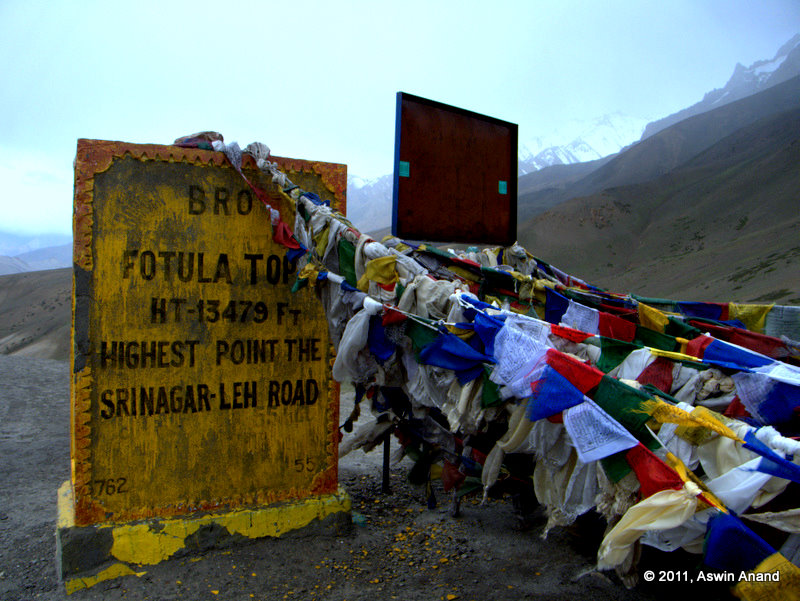
Fotu La
Early on the chilly morning at Kargil, I got my wounds dressed (Thanks Arul 🙂 ) at a nearby hospital for just 2 rupees. I had bruises on both knees and one on my forearm of the left hand. My bike had skid couple of days ago on an oil spill because of which I had to wake up at an ungodly 7 AM to get the wounds dressed. I was not 100% confident about driving my bike because the fall was pretty bad. So, when Ram asked, “Do you want to drive today?”, I immediately said, “Yes.” The only way to overcome fear is to take it head on; which is what I attempted to do. My bike was supposed to carry luggage that day. That means, I had a small backpack on my bike’s tank and 3 big backpacks tied to my bike. I tied them once and took the bike for a test drive. Everything seemed okay. When we started on the road, the rope magically came off & the three heavy backpacks were dragging my bike on one side. I made my way back to the hotel to re-tie it. By that time almost everyone had left and there were just 3 bikes including mine. Ram and Balu left in few minutes and I started after them.
Vellarimala, Vavul Mala – A weekend with the rain Gods
April 28th, 2011
The silence was overwhelming. The crisp morning wind was blowing across, ruffling my hair. The sun was playing hide-and-seek with the clouds. As the reality of standing at 2300+ meters altitude sunk in, I was filled with a strange euphoria. Just as if to make the moment perfect, the mist/cloud cover below us parted – as if the curtains are parted in a play – and what lay in front of us was stuff [usually] made out of dreams.
That was the feeling that I was exactly going through when we reached the peak of Vavul Mala on Sunday morning. We were at one of the highest spots in Western Ghats & nothing could have made me more happier at that moment than the silence that I was experiencing from the hills surrounding us. Miles and miles in all directions had views of beautiful undulating mountains. Weather was perfect. It had rained the whole of the previous night and nature was bright green all around us. Leeches took a break at that altitude. It was just silence and myself for those few precious minutes.
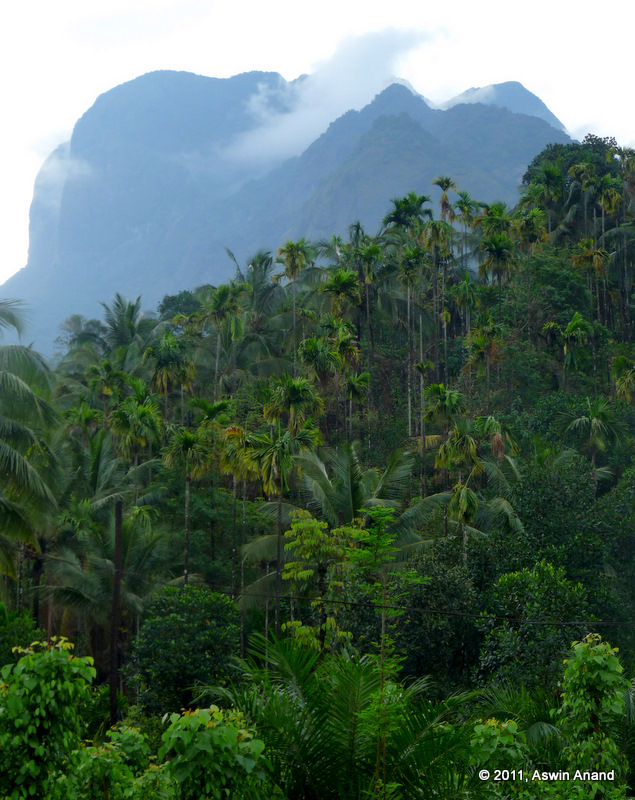
View of Vavul Mala from the village
The vegetation was dense right from the start of the trek. Few minutes in to the trek, the steepness began and it held up relentlessly until the very top. Unlike Ombattu Gudde where the shola grasslands start at about 700 m, peaks in the Vellarimala range didn’t have any grasslands at all. Would you believe it if I said that the very top was covered in dense foliage?
Olichuchattam Falls
About 1.5 hours of trekking brought us to the awesome Olichuchattam Falls. When we reached the falls it was drizzling and the sun was not yet fully out. Weather had played a superb part in keeping us energetic. We were all dry, warm and comfortable – a perfect combination for the steep trek. Water on the falls took a turn somewhere at the top and was flowing furiously straight down the smooth rock face of about 50 m in length. The very magnitude of the falls was breathtaking. Am sure during peak monsoon, much of the rock will be flooded. Away from the falls, the trail split in to two. One went upwards and we took that. Due to heavy rains the previous day, lots of shrubs and small trees had fallen on the trail. Our guide had a sickle and he went about clearing the trail for us as we closely followed him.
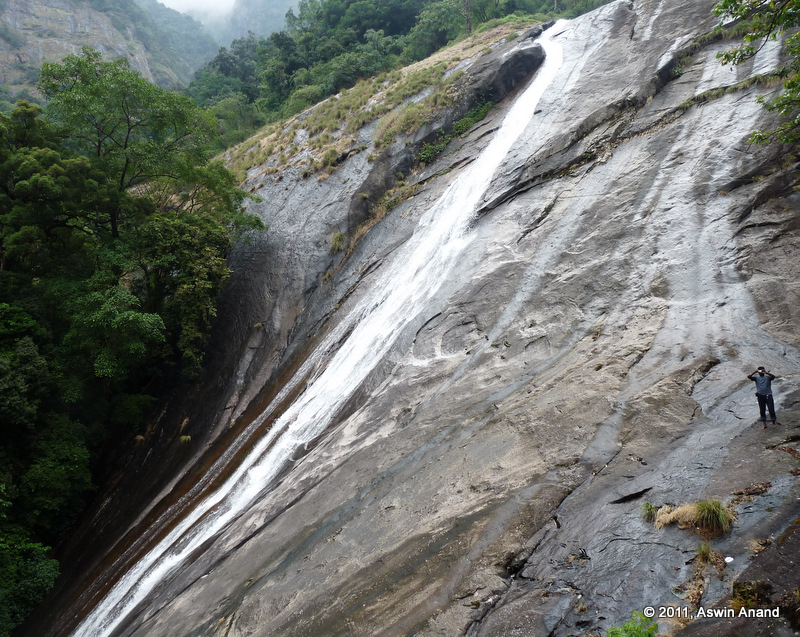
The Olichuchattam - Look at the sheer size of it
Forty five minutes later, we reached the first stream crossing. The steep climb took us to the top of the falls from where the water was taking a turn to flow down the smooth rock face. With mist covering the distant mountains and a slight drizzle for company, the moment was superb. Clouds were at touching distance and were playing with the smaller peaks around. The cloudscape changed continuously. People were gamboling here and there, splashing water and generally going crazy 🙂 .
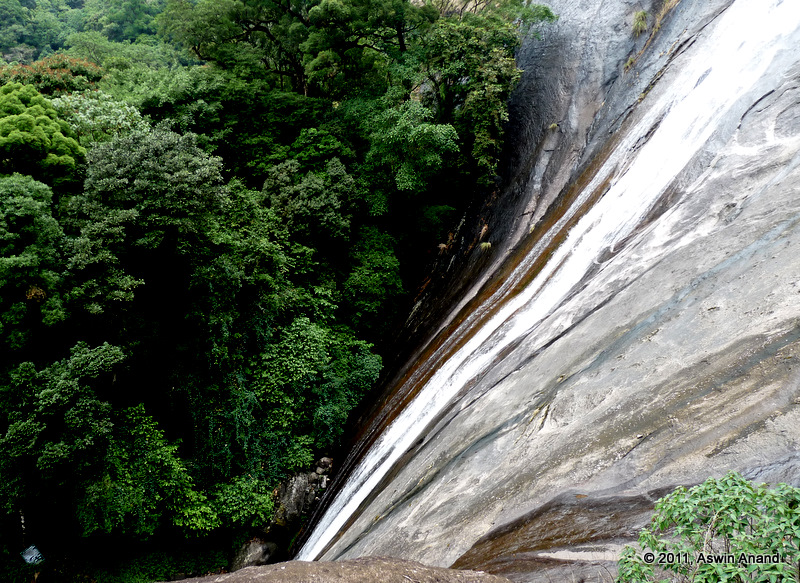
Olichuchattam flowing down
Soon, the guide announced it was time to leave. A quick climb and another stream crossing later, we took a short break at the next stream crossing. By that time, leeches had been feasting on our legs. For some people, there were blood spots near their thighs and tummy! Wearing floaters kinda saved me because as soon as I spotted those blood suckers cling to my feet, I plucked them and threw them away. Some were really persistent though.
Damodaran Kolli and Vellarimala Top
The last water point of the day was Damodaran Kolli. The water was pure, crystal clear, ice cold and flowing out of the rocks. The water was so cold that my gums got tickled when I sipped it. A short break later, we climbed for about 2 hours and reached the Vellarimala Top. It was not like any other regular top. This ‘top’ had lot of foliage around. The breeze was missing and so were those awesome views. Slightly disappointed at the absence of views, we opened the lunch packets and had our fill; followed by a group photo session. However, the guide had a twinkle in his eye. He didn’t reveal it yet. The magic was yet to come.
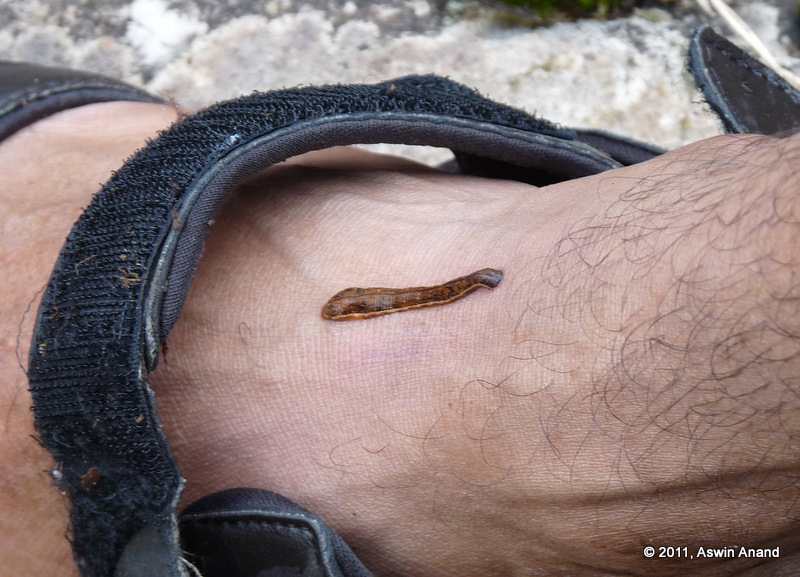
A tiny blood sucker
Kethan Paara
The surprise revealed itself in the name of Kethan Paara (Kethan – Name of the place, Paara – Rock). Since it was one of the high points in Vellarimala region, the view from this place was good. As if it was our luck, the clouds parted again, giving a breathtaking view of the valley below. Masthakapara and the elephant’s trunk like slope of the rock was clearly visible. Just like how the trunk attaches itself to the elephant’s head, that huge piece of rock was attached to the hill top. With a small dip after the rock and a clearing there, it looked just like an elephant. One of the trekkers claimed that he spotted an actual elephant in the adjacent valley running towards the foliage as soon as it heard our noise. But since no one else saw the elephant, we found it hard to believe. All through the trail, there was fresh elephant dung. If those mammoths made their presence in our presence, only one of us would be alive!
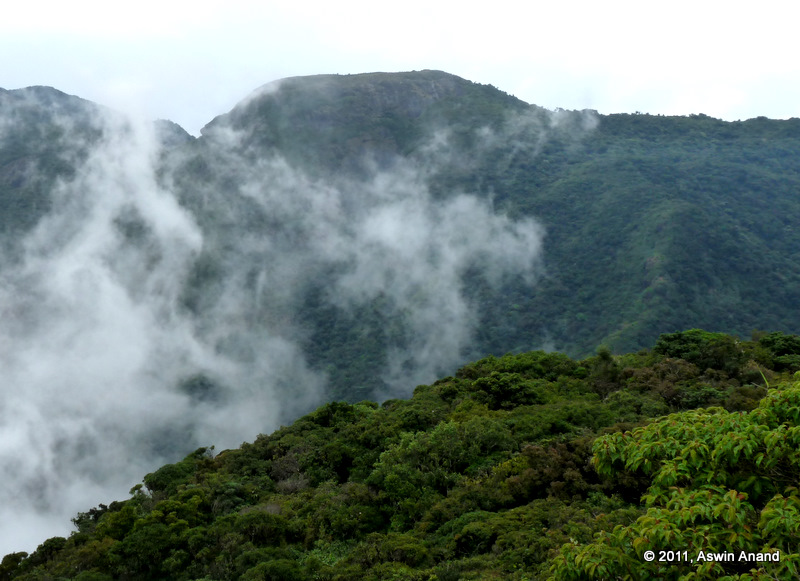
Clouds moving away from Kethan Paara
A quick trek from Kethan Paara took us to the base of Vavul Mala. This place was named REC Paara. Since it had rained quite heavily the previous day, the place had a water source with a good amount of flowing water. Sky was already overcast. The guide said it would surely rain and that we have to setup our tents quickly. Just as the tenting was completed, it started raining. It drizzled heavily for about 5 minutes before turning in to a full blown fury. The tent was quite stable. It was getting cold at 5.45 PM itself and we crawled in to our sleeping bags. The view of Vavul Mala from the tent gaps and the clouds over it made me enter a different world. Vavul Mala was not in the initial plan and I wished to trek to the peak. Since it was the highest peak in the range, I was pretty sure the wind and views would be there 😀 .
Rain’s Havoc
Three hours in to our sleep, it felt as if a huge bucket of ice-cold water was poured on us. Gasping for breath, we woke up to find that the heavy rain and furious winds had blown away our tent. The tent looked like it was screaming for help as it held on to the last string tied to the rock. We brought it together and tied it again; not before it was torn apart again by the wind. I asked for the time and someone said it was 11.45 PM. I thought, “Whoa! We have a long night.” The rain never abated. With every passing minute, it only seemed to be getting worse. Tiny streams were forming behind us, threatening to wet everyone’s sleeping bags. An hour or so later, the tents were blown away for the third time. It was enough already 🙂 . So, Pratik (one of the trekkers) sat through the whole night and held the tent. He probably slept for about 5-10 minutes in all. With the occasional droplets of water falling on my face and cold feet, I was somehow lulled in to sleep. Once sleep came, my senses shut out the howling of the wind and it instead became musical. I wandered in to my dreams. It was good. I still can’t believe I actually slept!
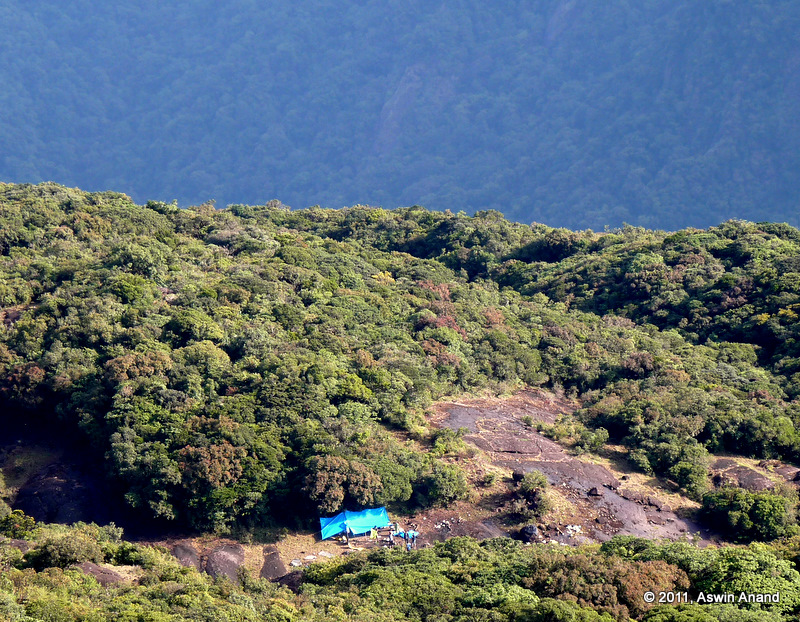
View of camp from somewhere close to top
I woke up totally refreshed. At 6 AM, the sun was not yet up but the whole landscape around me was bright green. The rain had polished every leaf to be as shiny as a mirror and the whole environment had a wonderful aroma. Everything was fresh. Everything was alive. I was totally in tune with the silence and greenery around me. With a few clouds here and there, the sky was in its superb blue. The sun had started to rise on the horizon and coloured the peaks in its brilliant morning rays. It was … it was … Sorry, am unable to explain that feeling of awesomeness.
Vavul Mala
Eight of us started moving towards Vavul Mala that morning. With just a sickle in his hand and rough animal trails for guidance, the guide took us through the forest as if he knew them in and out. He seemed to know every plant and rock over there. For brief moments, he would disappear in to the foliage. Whenever a grunt followed, we would follow him inside. The foliage was so thick that sunlight never penetrated it. From all the previous night’s rain, the floor was pretty wet and slippery. Leeches didn’t attack us though. The animal trails cris-crossed each other. With the silent confidence of an expert, he led us through the maze of trees, rocks and trails. After one hour and 45 minutes of trekking through the foliage, we came to a big clearing. He didn’t say much. He just went to a place and sat down there.
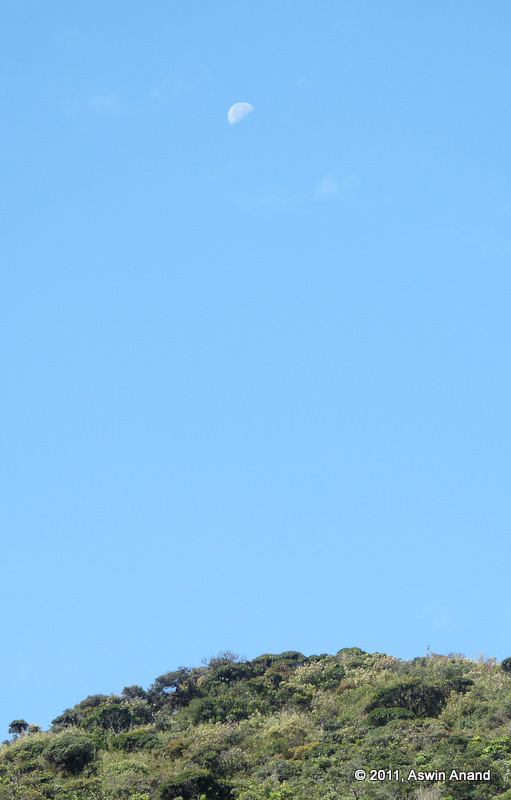
Moon and Vavul Mala
Suddenly, it hit me that we were at one of the highest points in the western ghats. We had reached the peak. The silence was overwhelming. The crisp morning wind was blowing across, ruffling my hair. The sun was playing hide-and-seek with the clouds. As the reality of standing at 2300+ meters altitude sunk in, I was filled with a strange euphoria. Just as if to make the moment perfect, the mist/cloud cover below us parted – as if the curtains are parted in a play – and what lay in front of us was stuff [usually] made out of dreams. The moment was special. The guide pointed out the Chembra peak to the north. Masthakapara looked way more beautiful from 2300+ m altitude than from Kethan Paara. The peak had a deep crevasse running down its height, never revealing where it ended. It was home for the bats & somewhere deep below, there was water.
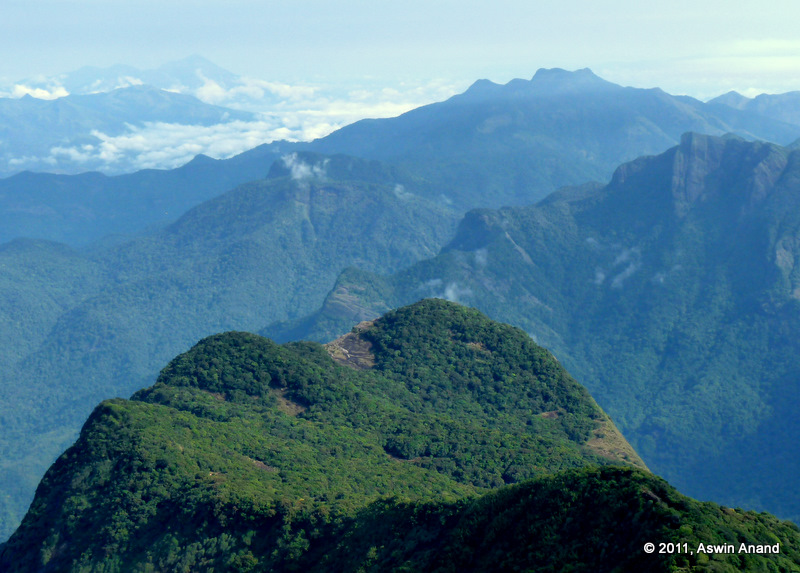
View of Masthakapara from Vavul Mala
After spending enough time at the peak, we started trekking down to the camp. Slipping and sliding through the foliage, we reached the camp in half the time we took to reach the top. It gave an indication of what was to come for the day in terms of climbing down.
Trek Down
The trail was totally slippery and we had entered leech territory. I had multiple leech bites on my feet. But the view and winds at the top of Vavul Mala was worth every leech bite and steepness it took to get there. What’s a sweet success without some struggle? The jeep trail towards the end of the trek was never ending as usual. One of the locals pointed us to a small trail that led to the stream. The chill water was refreshing and it was totally soothing on the arms and legs. A beautiful trek had come to an end. We started with a tea at the tea shop at Muthappanpuzha and finished the trek at the same place with Pazha Pori (Banana Fry) and tea 🙂 .
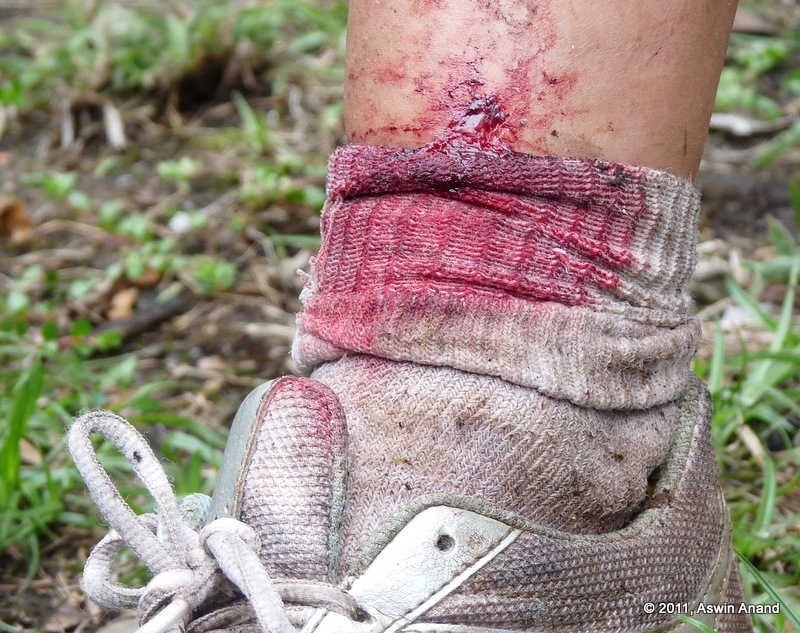
Aftermath
Some Information
Where – Vellarimala and Vavul Mala are reachable from Muthappanpuzha village in Kozhikode (Calicut) district of Kerala. To reach there, take a bus that goes to Kozhikode and get down at Thamarasery. From there, take KSRTC buses that go to Muthappanpuzha. Alternatively, you can go to Thiruvambady or Omasery and take a share auto/jeep from there.
Guide – We hired a guide named Binish, whose dad Raman accompanied us on the trek. He was totally awesome and knew the area like the back of his hand.
Season – Post monsoon is the best time to go there. For us, even though we went in summer, the weather during those 2 days felt like it was monsoon. I should say we were lucky.
Notes
- When we went to Kethan Paara on the way back, the area was taken over by fast moving clouds. Someone (I think Dinesh) pointed out that Rajinikanth was smoking from the valley 😛 .
- Keerthana sang “Top of the world” at Kethan Paara. Nice song!
Photo Albums
What’s a trek without photos. Here are some of the clicks:
My First Short Film – The Forgotten Commandments
April 19th, 2011
8+ hours of non-stop action including a bike accident and blood spilling all over, with people looking as if someone was dead. But …
One of the best moments was, when in the middle of a retake, a passerby stopped by me, bent down and said, “Guys, looks like he is hurt real bad. Someone take him to the hospital fast!”
All of them around me – The team – burst out laughing. The passerby didn’t understand anything. Immediately, I got up and we all laughed, scaring him off. He got irked a little; but we told him we were shooting a short film and that his reaction was priceless 🙂
The Forgotten Commandments – The Plot
The story is about a guy who’s out meeting his friends. As he is about to leave, the gang tease him & tell him not to wear helmet. Meanwhile, on the other side of the same world, another person, who is a bit pissed off with her dad 😉 starts driving as well. As fate intervenes, they collide head-on, which leads to the guy falling down and hitting his head on a sharp rock. By the time the crowd around him could react, it was too late. They didn’t realize that he was blinking his eyes and shaking his fingers. He was already on the way to heaven.
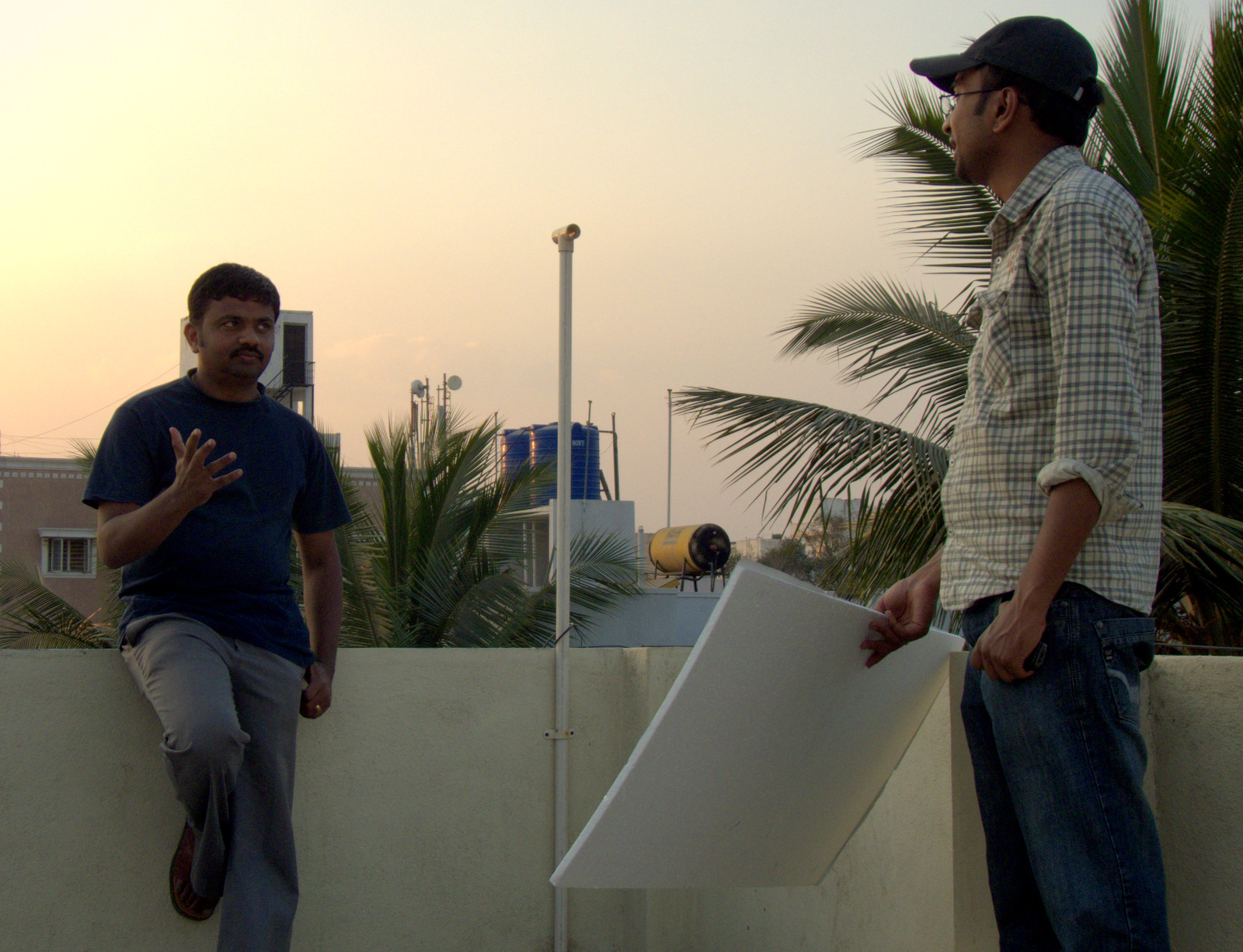
Director holding the reflector
For everyone’s first time, I guess it has come out decently. Here’s the film for you to watch and comment upon 🙂
[sniplet shortfilm]
The Crew
Cast – Myself, Vijayan, Surendran, Sam, Sethuraman, Harini, Ramasami and Subramanian
Direction – Edwin
Story, Screenplay and Camera – Prakash
Editing – Sriram
Equipment – Panasonic DMC FZ-28, 1 foot tripod, a bench 🙂
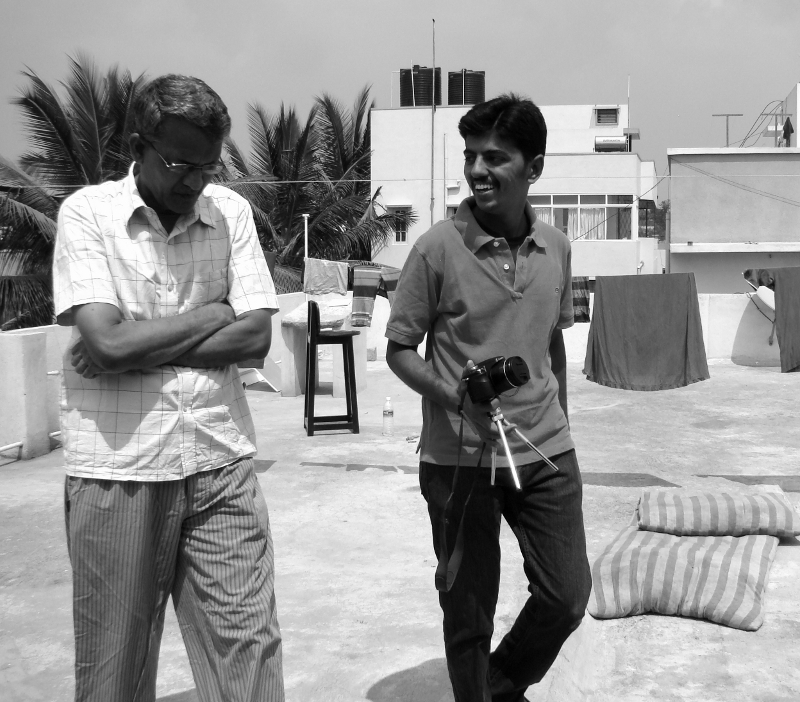
Discussion during a short break
Acting in the film was so much fun. When I heard that I was to act and that I was even dying in the movie, it felt great. Even Rajnikanth doesn’t get to die in movies but I did 😉 . This movie will be special for a long time to come. Thanks a ton to Prakash and Edwin for their infinite amount of patience in getting us to act properly.
More films coming in the next few months. Stay tuned …